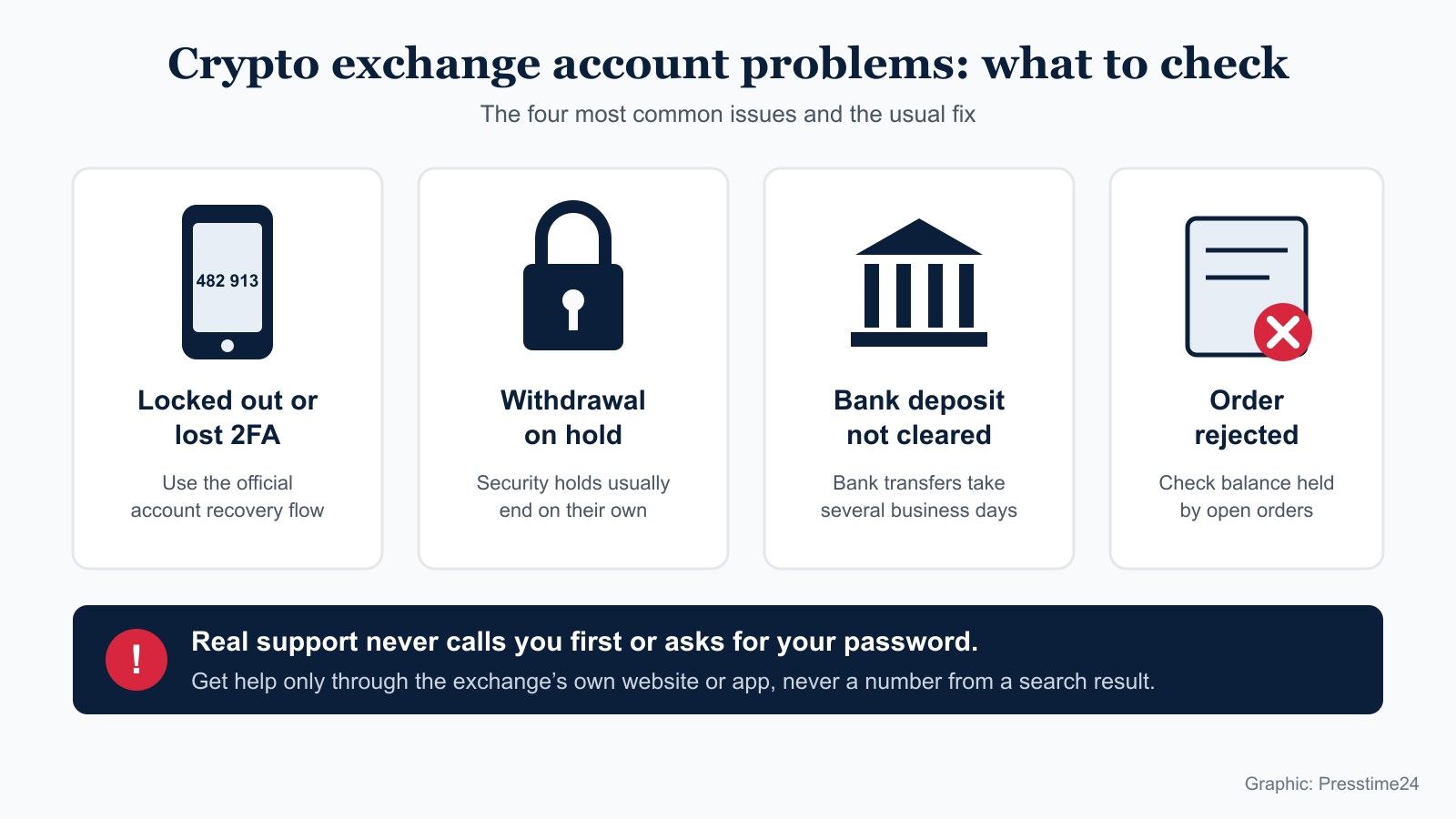
Most Gemini exchange problems fall into a few groups: you cannot sign in, your two factor device is lost, a withdrawal is on hold, a bank deposit has not cleared, or an order was rejected. Each has a standard fix inside Gemini’s own Help Center. The most important rule is to get help only through gemini.com or the Gemini app, because fake “Gemini support” numbers and accounts target people who are locked out.
Gemini here means the cryptocurrency exchange run by Gemini Trust Company, not Google’s Gemini AI assistant. This guide explains what each common problem usually means, what to do first and when to contact Gemini. It does not cover whether to buy or sell any cryptocurrency.
What to do first if something goes wrong
Start with the checks that solve most problems in minutes. Many issues come from a temporary outage, an old app version or a hold that ends on its own.
- Check the Gemini Exchange Status page first, because an outage or upgrade can cause failed logins and rejected orders.
- Update the Gemini app to the latest version before you retry, since Gemini’s recovery steps assume a current app.
- Read any message on your portfolio or withdrawal screen, which often states the type of hold and when it ends.
- Contact Gemini only through the Help Center at gemini.com or inside the app, never through a number from a search result.
How do you spot fake Gemini support?
Treat any unexpected call, message or “support agent” who contacts you first as a scam. Gemini says in its article Will Gemini ever call me? that it will never cold call you about support or account management.
Its guide to checking whether a message is really from Gemini adds that support staff will never ask for your personal or login information and will never ask for remote access to your device. Gemini asks customers to report suspicious contact to security@gemini.com.
- Never share your password, two factor codes or recovery details with anyone.
- Never install screen sharing or remote access apps at someone’s request.
- Type gemini.com yourself or use a bookmark, rather than clicking a link in a message.
- Ignore “support” accounts that message you first on social media.
What if you cannot log in or lost your 2FA device?
Use Gemini’s official account recovery flow. Two factor authentication (2FA) is the second step after your password, such as a code from an authenticator app or a passkey, and losing that device is one of the most common reasons people get locked out.
According to Gemini’s article How do I recover my account?, the process ends with adding a new 2FA method, either a passkey or an authenticator app. You get three attempts to complete recovery; if they fail, you must wait 24 hours before trying again. A successful recovery places a 72 hour hold on crypto withdrawals.
Should you create a new Gemini account instead?
No. A second account does not unlock the first one, and it can complicate identity checks. Finish the recovery flow, or contact Gemini through the Help Center if recovery keeps failing.
Why is my Gemini withdrawal on hold?
Usually because of a security hold that ends on its own. Gemini’s article Why can’t I withdraw my crypto? and its Help Center list several common causes:
- A password reset, which Gemini says triggers a 72 hour hold on crypto withdrawals.
- A successful account recovery, which also triggers a 72 hour hold.
- Signing in from a new device.
- A recent debit card purchase or a bank deposit that has not cleared yet.
- Account verification that is not complete.
Wait for the stated hold to end before contacting support, as support cannot usually lift a security hold early. If the hold lasts longer than the time shown, open a ticket through the Help Center.
Why can I trade my bank deposit but not withdraw it?
Because US bank transfers (ACH) take several days to settle. Gemini credits ACH deposits early so you can trade, but its article on when ACH deposits fully clear says the funds become available to withdraw after four to five business days.
Business days exclude weekends and US federal holidays. Gemini also says deposits made after 5pm Eastern Time are submitted to your bank the next business day, and your portfolio shows a holds pending note next to your USD balance until the transfer clears. Money leaving your bank account does not mean it has reached Gemini yet.
Why was my Gemini order rejected?
The most common reason is that the order is larger than your available balance. Gemini’s user agreement says orders that exceed the funds available in your account are rejected, and that the full amount needed for an open order, including fees, is held until the order fills, expires or is cancelled.
That means money in open orders is not available for new ones. Cancel old open orders you no longer want, then try again with a smaller size.
- Check for open orders that are holding part of your balance.
- Include trading fees when you work out the order size.
- Confirm that a recent deposit has cleared if you are trading with it.
- Check the status page for an upgrade window, since Gemini notes that some orders can be rejected during maintenance and can simply be resubmitted.
Why was my post only order cancelled?
Because it would have traded immediately. Gemini calls this order option “maker or cancel”: according to its developer error codes, such an order is cancelled if any part of it would fill at once against an existing order. Place the price further from the current market if you want the order to rest on the book.
When should you contact Gemini support?
Contact Gemini through the Help Center when a hold lasts longer than stated, recovery fails after three attempts and the 24 hour wait, a deposit is missing after it should have cleared, or you see activity you do not recognise. Include the date, the amounts, any transaction ID and screenshots of error messages, and never include your password or 2FA codes.
If you think someone else has accessed your account, change your password, secure your email account and report it to Gemini straight away. For more guides on online services and account security, see the Technology section, including our comparison of Cloudways and Rabbitflare web hosting.
This article is general information about using Gemini’s services and is not financial or investment advice. Presstime24 is not affiliated with Gemini.